Steam, EA and Ubisoft games on your own account
Atlas Tools adds the games you order to your Steam library and applies the fixes and activations they need. You pay once through Tokopedia or Shopee.
Already ordered? Download Atlas Tools for Windows- games available
- 110K+
- games available
- happy customers
- 7.2K+
- happy customers
- instant activation
- 100%
- instant activation


Why order from Atlas
Current promo
Buy one, get one free
Buy one game and pick a second title of equal or lower value at no cost.
Your own Steam account
Games are activated on your own account. No shared logins and no remote access to your PC.
Handhelds included
Works on handheld PCs and other portable hardware running Windows.
Lifetime updates
Pay once. App updates and new game additions come at no extra cost.
What you get inside Atlas Tools
Add a game, find it in Steam
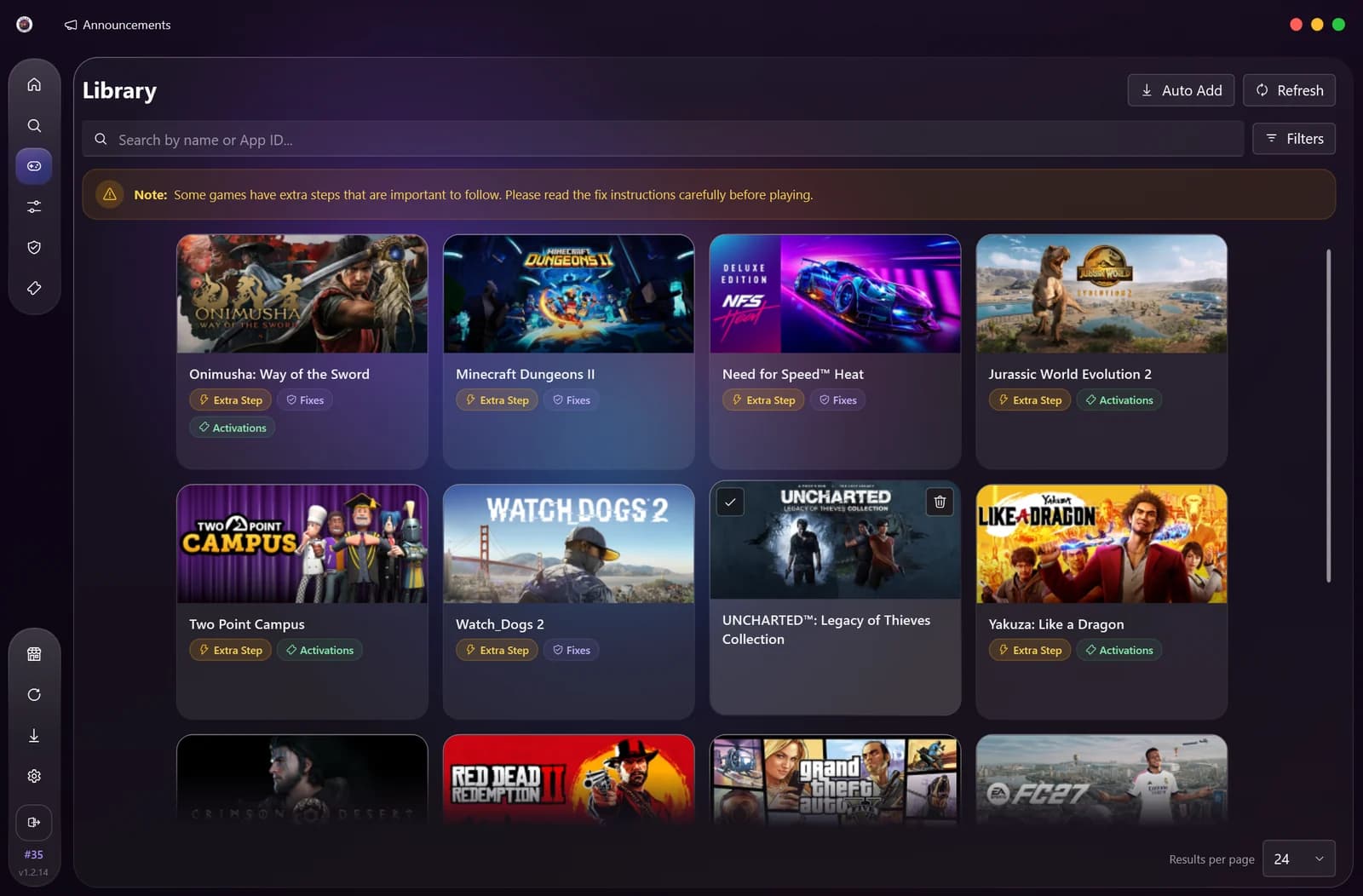
Search the catalog, add a game, and it appears in your Steam library. Each game shows up front whether it needs an extra step, a fix, or an activation.
- Search by game name or App ID
- Auto Add puts every game you own into Steam at once
- Labels for Extra Step, Fixes and Activation on each game
Fixes for games that will not start
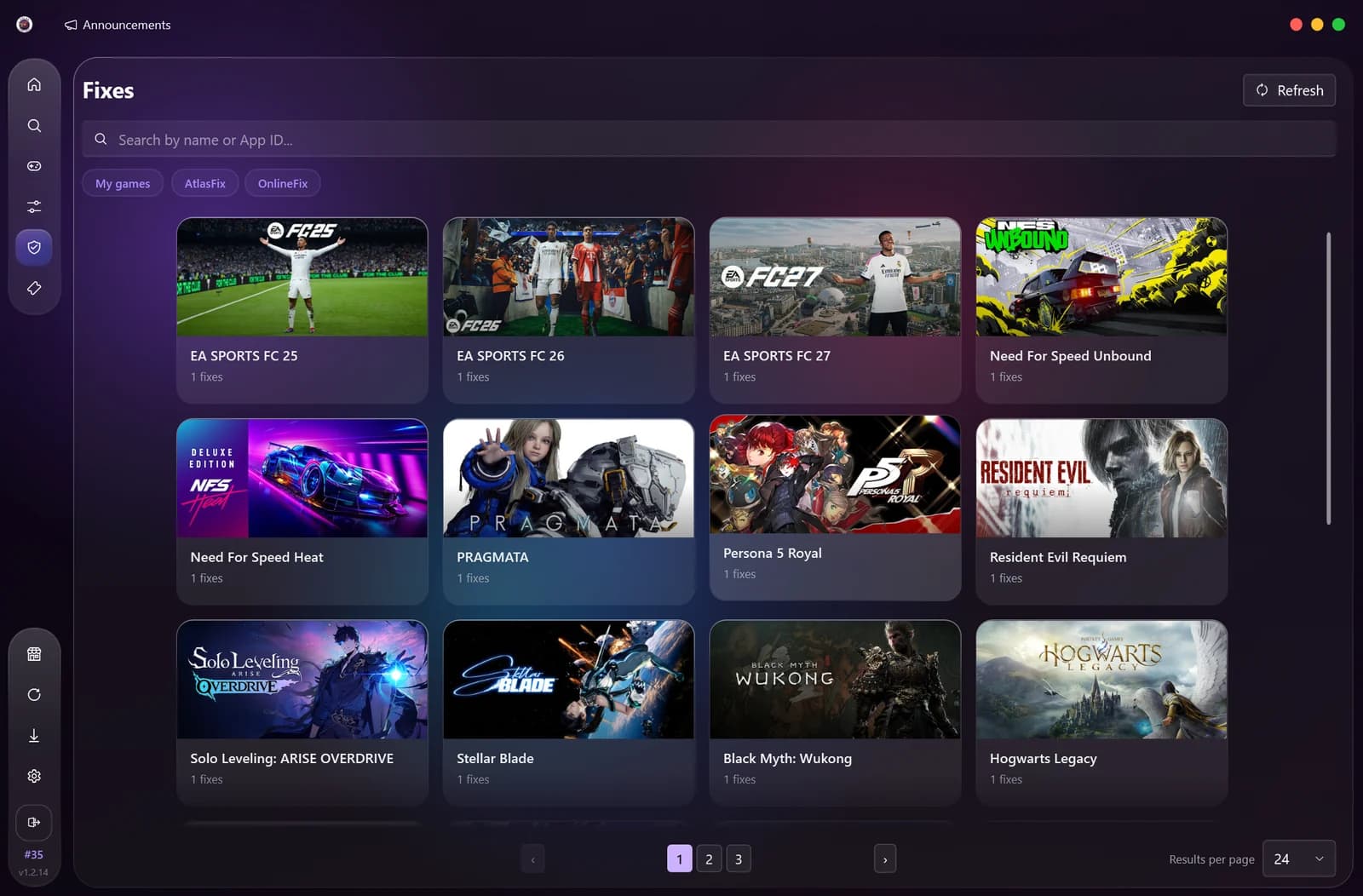
Some games need more than a license. Open the game in the Fixes tab, press Fix, and Atlas Tools applies the files to your game folder.
- A ready-made fix per game, applied with one button
- DRM bypass tools for Denuvo, EA, Ubisoft and Rockstar titles
- Revert puts the original files back
Activation in one click
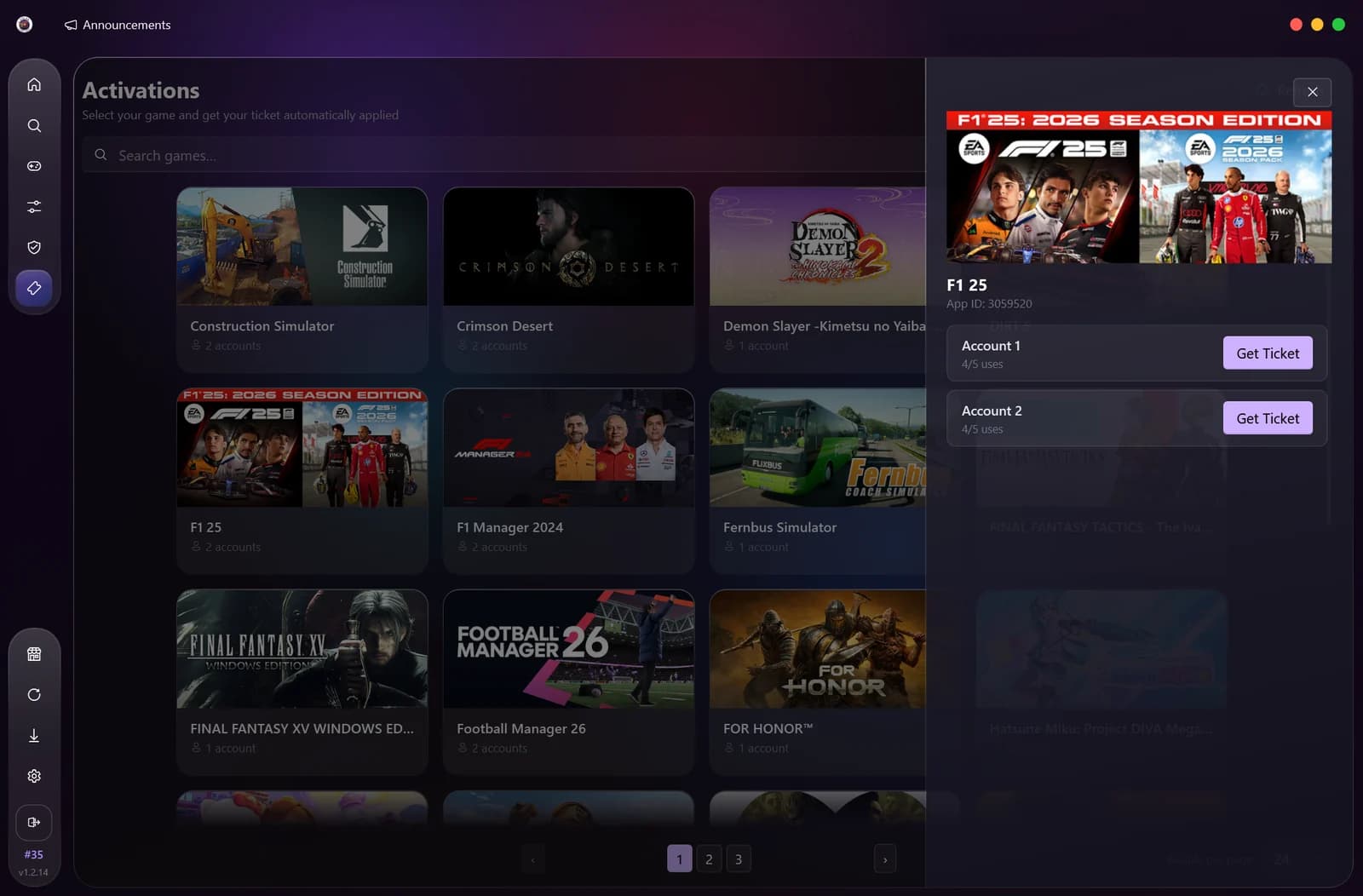
Some games need a ticket before they launch. Pick the game in the Activations tab, choose an account and press Get Ticket. Atlas Tools logs in, saves the ticket to your PC and hands Steam back to you.
- Needs the Atlas Tools 1.2 mode and the game installed in Steam
- Any fix the game needs is applied in the same run
- Each game can be activated once every 30 hours
How to set it up
Watch the full walkthrough, or follow the written steps for your order type below.
How to add games to your Steam library using Atlas Tools.
- 1
Open Atlas Tools
Download and run Atlas Tools. You can get the download link from the Download section on this page.
- 2
Enter your Atlas Tools code
On the login screen, enter the activation code for Atlas Tools that you received after purchase. This unlocks access to your game library.
- 3
Go to the Mode tab
Click the Mode menu on the left sidebar of Atlas Tools.
- 4
Install a mode
Click Install on either Atlas Tools 1.1 or Atlas Tools 1.2. Wait for the installation to complete. Steam restarts automatically.
Atlas Tools 1.2 is recommended if you also need Activation support. Atlas Tools 1.1 works for standard library use.
- 5
Go to the Library tab
Click the Library menu on the left sidebar. Your available games will be listed here.
- 6
Add a game to Steam
Click on a game, then click "Add to library", then click "Add" to confirm. The game will be added to your Steam library.
To add all your games at once, click the Auto Add button in the top-right corner of the Library tab.
Download Atlas Tools
The Windows app you use to add games, apply fixes and get activation tickets. Install it once; updates install themselves in the background.
Atlas Tools for Windows
Installer (.exe) with auto-update, Windows 10 / 11 64-bit
Download it with Google Chrome for the fewest browser warnings.
You also need
- The Steam client installed
- An internet connection
- An Atlas Tools code from your Atlas Game Shop order
Reviews from real orders
Screenshots of verified purchases from Indonesian gamers. Click one to read it in full.
Questions before you order
Order through Tokopedia or Shopee
Pick your games in our store, pay with the marketplace's buyer protection, and you get your Atlas Tools code.
- Play on your own account
- Pay one time, no subscription
- Denuvo, EA & Ubisoft support
- Support via WhatsApp chat
Payments through Tokopedia and Shopee are covered by their buyer protection.